Puzzle games with square grids have a problem. They feel predictable. Every piece fits in the same way. Every connection follows the same pattern. After a while, your brain stops being challenged by the geometry itself.
I discovered a Japanese puzzle game called Pain Towel that challenged players to draw shapes on a grid. Interesting concept, but the square tiles limited the design space. What if the same mechanic used hexagons instead? More connections per tile. More possibilities. More chaos.
UpSideDown became my answer. A mobile puzzle game where hexagonal geometry turns a simple drawing mechanic into something more unpredictable.
What It Does
The game presents a hexagonal grid on the lower half of the screen. You draw a shape by dragging your finger across the hexagons. Each hexagon you touch becomes part of your creation.
A counter shows how many hexagons you need to connect. Random numbers between one and ten. Match the count exactly, and your shape drops onto the game board above. Fall short or go over, and your drawing disappears.
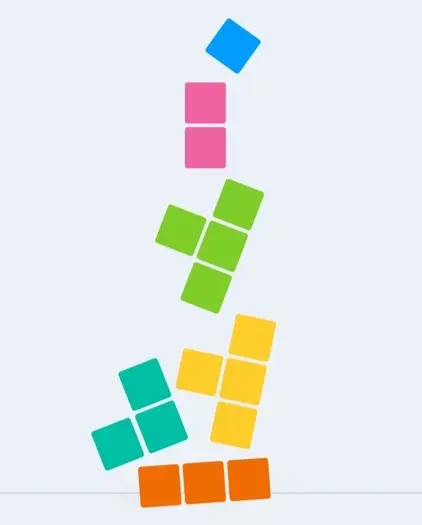
The shapes stack and fall according to physics. As you add more pieces, the board fills up. The challenge comes from placing shapes strategically while working with random constraints.
Colors change with each new shape. The palette includes blues, reds, purples, greens, and oranges. These random colors make the board visually dynamic as pieces accumulate.
The Hexagonal Drawing System
Drawing on a hexagonal grid requires tracking which cells the finger passes through. Each hexagon acts as a sensor that detects when the touch enters its area.
The system maintains a list of selected hexagons. When your finger enters a new cell, it joins the list. The game also tracks backtracking. If you return to a previously selected cell, the system removes the cells you passed since then. This lets you correct mistakes without lifting your finger.
Visual feedback shows your current path. A temporary overlay follows your touch, colored gray if you have not met the count requirement and colored fully once you reach the target.
Shape Physics and Falling
Once you complete a shape, it transforms into a physical object. The individual hexagons merge into a single rigid body with a composite collision boundary.
The shape then falls from the preview area onto the main board. Physics takes over from there. Shapes collide with each other and settle into stable positions. The board scrolls down as new pieces land.
I constrained the physics to prevent rotation and horizontal drift. Shapes fall straight down and rest where they land. This keeps the gameplay focused on placement rather than unpredictable tumbling.
The Counter Mechanic
The counter adds constraint to each turn. You see a number. You must draw that exact shape size.
The value resets randomly after each successful drop. Numbers range from one to ten hexagons. Small numbers force compact shapes. Large numbers require sprawling paths across the grid.
This randomness prevents patterns. You cannot plan too far ahead because you do not know what count comes next. Each turn demands fresh thinking.
The counter displays in the corner with a colored background matching your current shape color. As you draw, the number decrements. It shows zero when you have selected enough hexagons.
Visual Feedback and Colors
The game uses a palette of twelve distinct colors. Each new shape receives a random color from this set. The counter background changes to match, giving you visual continuity between the drawing phase and the dropped piece.
Background hexagons pulse with color animations tied to the game music. This creates visual rhythm without affecting gameplay. The animations trigger randomly across the grid, adding life to the static board.
The color choices aim for readability. High saturation helps pieces stand out against each other. The gray placeholder color contrasts clearly with the final shape color, showing at a glance whether you have met the count requirement.
Unity and Mobile Development
Unity handled the 2D physics and touch input. The engine manages collision detection for composite shapes automatically once configured.
The hexagonal grid consists of prefab cells instantiated at scene start. Each cell contains a collider that detects touch events. The touch system tracks mouse or finger position and converts those events into drawing actions.
I separated the drawing grid from the physics board. The drawing happens in a virtual space, then shapes translate to the physical play area when dropped. This keeps the two systems independent.
Challenges I Faced
Hexagonal grids break assumptions from square-based games. Neighbor relationships vary depending on row position. I handled this by pre-computing valid positions and letting Unity colliders handle touch detection.
Shape merging required careful physics setup. Each hexagon has its own collider. When combined, these must become a single composite collider for proper stacking. Unity composite colliders handled this, but configuration took experimentation.
Touch input on mobile needed tolerance adjustments. Fingers are imprecise. The drawing system needed to forgive small movements and still register the intended path.
What I Learned
Geometry shapes game feel more than mechanics do. Hexagons feel different from squares, even with identical rules. The connections between cells change how you think about the puzzle.
Physical puzzle games need visual clarity. When shapes stack and colors multiply, the board gets busy. Readable colors and clean edges help players parse the state.
Constraints create the game. Without the counter forcing specific sizes, drawing shapes would lack tension. Random limitations turn free drawing into puzzle solving.