Built in 2019
Perceptrons
Perceptron From Scratch
A single perceptron in vanilla JavaScript that learns the AND logic gate with gradient descent.
Made with
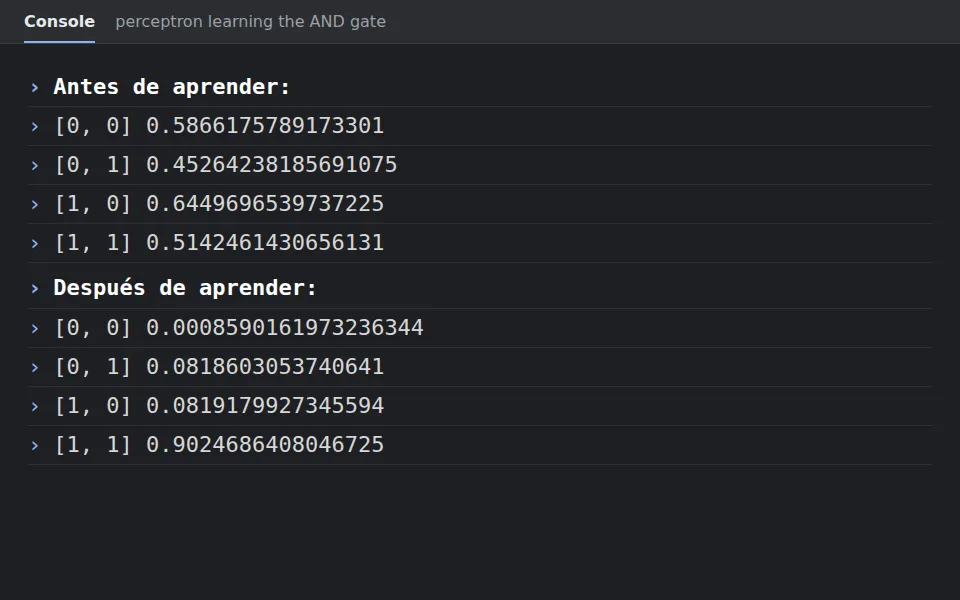
Before learning, my perceptron said the answer to “1 AND 1” was 0.51. After learning, it said 0.90. That small jump is the whole story of machine learning, shrunk to four examples and two numbers.
In March 2019 I wanted to understand neural networks without any library. No TensorFlow, no math package. Only JavaScript classes and the formulas I could write by hand. I started with the smallest piece there is: one artificial neuron, called a perceptron.
The repository description, written in Spanish, says what it was for: an introduction to the perceptron, machine learning and neural networks.
No screen at all
This experiment has nothing to look at. It has no canvas and no buttons, and that is on purpose. All the action happens in the browser console (the developer tools panel where JavaScript can print text).
To see it, open its index.html in a browser, press F12, open the Console tab, and reload. You will see two lists. The first one says “Antes de aprender”, which means “before learning”. The second one says “Después de aprender”, which means “after learning”. Each list shows the four inputs of a logic gate and the perceptron’s answer for each one.
Teaching the AND gate
The task is the AND gate. It takes two inputs, each one 0 or 1. It returns 1 only when both inputs are 1. In every other case it returns 0.
| Input A | Input B | Expected |
|---|---|---|
| 0 | 0 | 0 |
| 0 | 1 | 0 |
| 1 | 0 | 0 |
| 1 | 1 | 1 |
A normal program would write a && b and finish. The point here is different. I never tell the perceptron the rule. I only show it these four examples and the right answers. It has to find the rule by itself.
One neuron, three parts
A perceptron does three things with its inputs.
- It multiplies each input by a weight. A weight is a number that says how much that input matters.
- It adds the results together, plus one extra number called the bias. The bias moves the answer up or down, no matter what the inputs are.
- It passes that sum through an activation function, which squeezes it into a useful range.
The multiply and add step is a dot product. I wrote a small Vector class for it. It has three methods: dot for the dot product, sca to multiply by a number, and sub to subtract another vector. That is all the linear algebra this project needs.
The demo starts with fixed values, so every run gives the same result. The weights are 0.247 and -0.54. The bias is 0.35. With those numbers, the perceptron is guessing. It answers 0.59 for “0 AND 0” and 0.45 for “0 AND 1”. All four answers sit close to 0.5, which means “I do not know”.
Three activation functions
The file activationFunctions.js has three options.
- Step returns 1 when the sum is above zero, and 0 otherwise. This is the classic perceptron from the 1950s.
- InverseStep does the opposite. It returns 1 when the sum is below zero.
- Sigmoid returns a smooth value between 0 and 1. Its formula is
1 / (1 + e^-x).
The demo uses the sigmoid. The reason is learning. A step function jumps from 0 to 1 with no slope in between, so it gives no hint about which way to move. The sigmoid has a smooth curve, and a curve has a derivative (a number that tells you how steep it is at each point). The Sigmoid class has a derivate method that returns f(x) * (1 - f(x)). That one line is what makes learning possible.
How it learns
Learning happens in the learn method. For each example, the perceptron does this:
- Computes its answer for the inputs.
- Subtracts the expected answer to get the error.
- Multiplies the error by the sigmoid’s derivative. The result is called delta.
- Moves each weight a little in the direction that makes the error smaller. The size of that step is the input times delta times the learning rate.
- Moves the bias the same way, by delta times the learning rate.
This is gradient descent. Picture yourself on a hill in the fog. You cannot see the bottom, but you can feel which way the ground goes down. You take a small step that way and check again. The error is the height of the hill. The weights are your position.
The learning rate is 0.1, so every step is small. One pass over the four examples barely changes anything. So the demo repeats it 5000 times. That is 20,000 small corrections in total.
The result in numbers
After training, the console shows these answers:
| Input | Before | After |
|---|---|---|
| 0, 0 | 0.59 | 0.001 |
| 0, 1 | 0.45 | 0.08 |
| 1, 0 | 0.64 | 0.08 |
| 1, 1 | 0.51 | 0.90 |
The three cases that should be 0 are now close to 0. The one case that should be 1 is close to 1. The perceptron learned AND without ever seeing the rule.
Notice that it never reaches exactly 0 or 1. The sigmoid can only get closer. If you need a yes or no answer, you round the output. Values above 0.5 become 1, and values below become 0.
A first step toward networks
The repository has one more file, networks.js. It has a Layer class that holds many perceptrons, and a Network class that chains layers together. The demo does not use them yet. They were my plan for what came next.
That plan matters, because one perceptron has a hard limit. It can only draw a straight line between two groups. AND works because a single line can separate “1 AND 1” from the other three cases. A gate like XOR cannot be separated by one line, so one perceptron can never learn it. You need layers.
In April I gave the perceptron something to look at. In the linear classifier, it finds a line between colored dots on a canvas.
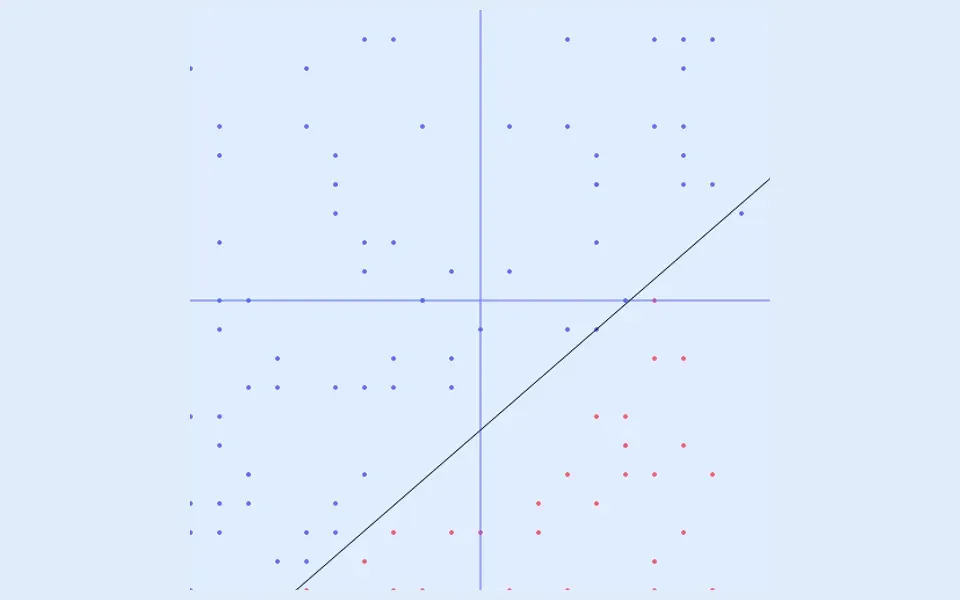 Linear Classifier A perceptron that finds the line between two groups of random points, drawn live on a canvas.
Then I built a real network with hidden layers and backpropagation, to learn borders that are not straight.
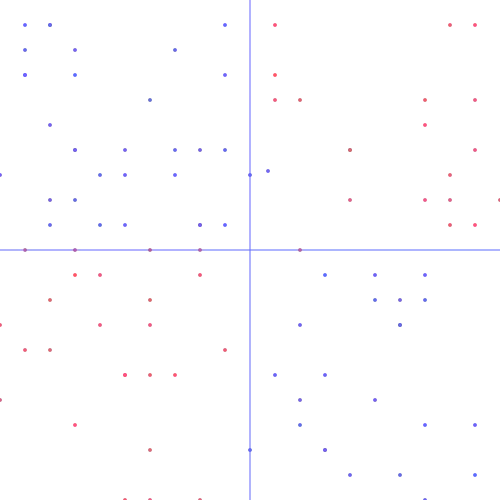 Zone Classifier Classifies a point in a blue or pink zone using a vanilla neural network.
Small enough to understand
The whole project is less than 4 KB of JavaScript. You can read every line in a few minutes. That was the goal. Frameworks hide the weights, the derivative and the update rule behind one fit call. Here, each one is a line you can point at.
The networks in my later experiments grow from the same idea: multiply, add, squeeze, and correct the mistake a little at a time.
Interested in working together? Check out my services and pricing to see how we can collaborate on your next project. Let's Build