Psychologists, doctors, lawyers, social workers, and teachers share a quiet frustration: they spend more time writing reports than doing their actual work. After each session, appointment, or class, they sit down and fill out the same structured documents. They copy-paste from old files, retype the same headers, and manually format everything before sending it off. The documents follow templates, but the process is anything but automatic.
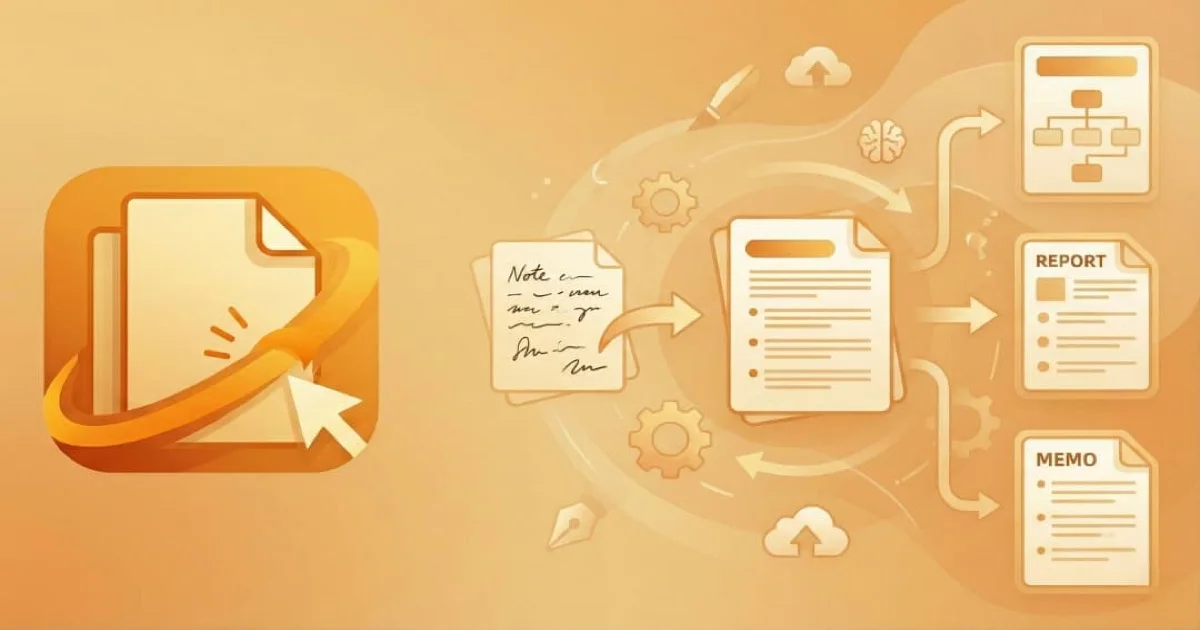
I wanted to fix that. NotuDocs takes raw notes (text, voice recordings, even photos of handwritten notes) and turns them into finished, formatted documents in seconds.
How It Works
The workflow has three steps. First, you create a template with placeholders. Each placeholder has a name, instructions for the AI, example outputs, and a format specification. Think of it as teaching the system what each section of your document should look like.
Second, you capture notes during your session. Type them out, record your voice, or snap a photo of your whiteboard. NotuDocs transcribes audio and extracts text from images automatically. You can mix and match: a voice recording from the session plus a typed observation afterwards.
Third, you hit process. The AI reads your notes, maps the relevant information to each placeholder, and generates a finished document ready for download.
The Template System
Templates are the core of NotuDocs. They come in two flavors.
DOCX templates let professionals upload their existing Word documents. They add {{placeholders}} where the AI should fill in content. This matters because professionals already have their own report formats. They don’t want to learn a new layout. They just mark where the dynamic content goes, and NotuDocs handles the rest.
Rich text templates use a built-in editor for professionals who want to start from scratch. The editor supports headings, lists, tables, and inline placeholders. This works well for teams building standardized templates together.
Each placeholder carries metadata: what kind of content the AI should produce, what terminology to use, and what format to follow. A psychology report placeholder might say “summarize the patient’s emotional state using clinical terminology” while a legal report placeholder might say “list the relevant case facts in chronological order.”
NotuDocs also ships a template library with pre-built templates for common disciplines. Professionals can clone one and customize it instead of starting from zero.
Multi-Modal Note Capture
Raw notes come in many forms. During a therapy session, a psychologist might jot down keywords. A doctor might dictate observations between patients. A teacher might photograph the whiteboard after class.
NotuDocs handles all of these. Voice recordings get transcribed into structured markdown with proper headings and bullet points. Images go through OCR that preserves the original structure: tables stay as tables, lists stay as lists. Text notes support markdown formatting for quick structuring.
All note types live together in a session. You can have three text notes, a voice recording, and two photos, all feeding into the same document. The AI considers everything when filling the template.
AI Processing
When you process a session, the AI receives all your notes and a description of every placeholder in your template. It returns structured JSON, one value per placeholder, formatted according to each field’s specifications.
The interesting part is what happens after the AI responds. A placeholder value might be plain text, inline markdown with bold and italic, or block content with bullet lists and numbered items. NotuDocs detects the content type and renders it differently depending on the template format.
For DOCX templates, this means generating the correct Office XML nodes (paragraphs, text runs, list items) while preserving the original document’s fonts, sizes, and spacing. The system reads the styling from the placeholder’s location in the template and applies it to the generated content. A bullet list inside a filled placeholder inherits the same font family, size, and color as the surrounding text. It looks like it was always part of the document.
For rich text templates, the process converts markdown into the editor’s native block format. Block-level content like lists gets expanded into multiple blocks, while inline formatting stays within the current paragraph.
Architecture
NotuDocs runs on Next.js with a Convex backend. Convex handles the database, real-time subscriptions, and server-side actions. This combination gives the app real-time reactivity, so when a teammate adds a note, everyone sees it instantly.
File storage and generated documents live in Cloudflare R2. AI requests go through Cloudflare’s AI Gateway for monitoring and rate limiting before hitting the language model.
Authentication uses Clerk with organization support. Teams share templates, sessions, and contacts. The billing system runs on Stripe with per-seat pricing, tracking usage across sessions, templates, and exports. When a team exceeds their included export quota, the system reports overages to Stripe automatically.
The app supports both English and Spanish through internationalization at every layer: the UI, the AI prompts, and the generated documents.
What I Learned
Building NotuDocs taught me that the hardest part of AI products isn’t the AI. It’s everything around it. Parsing DOCX files, preserving formatting across placeholder replacements, handling Unicode normalization in template keys, generating valid Office XML with proper list numbering: these are the problems that took the most time.
The AI itself is almost boring by comparison. You give it notes and a schema, it gives you structured data. The real engineering is in making that structured data look right inside a Word document that a professional will print and sign.