Shipping a package should be simple. You enter pickup and delivery addresses, add your items, and track everything until arrival. But in 2018, many local delivery services still relied on phone calls, paper forms, and manual status updates. Customers had no visibility into where their packages were.
For my Software Engineering course at UCAB, I built Mappy. It is a web application that lets users create delivery orders, manage addresses, and track packages through a REST API. The project taught me how to structure a real application with user authentication, data validation, and automated testing.
What Mappy Does
Mappy handles the full lifecycle of a package delivery. Users register with their email and create an account. Once logged in, they can save collection addresses (where packages get picked up) and delivery addresses (where packages go). Each address stores street lines, city, country, and zip code. Delivery addresses also support GPS coordinates for mapping.
When creating an order, users select a pickup location, a destination, and provide recipient details. They can attach multiple packages to an order, each with its own weight and description. The system tracks which user created each order and maintains the relationships between orders, packages, and addresses.
The frontend connects to a REST API that handles all operations. Users can view their orders, check package details, and manage their saved addresses. An admin panel provides staff access to all data in the system.
Technical Architecture
I built Mappy with Django and Django REST Framework. The backend follows a modular structure with separate Django apps for each domain: users, packages, collection addresses, delivery addresses, and collection orders.
Data Model Design
The application centers around four main entities. Users extend Django’s built-in authentication system with additional profile fields like birth date, names, and a profile image. Collection addresses and delivery addresses store location data with foreign keys to users. Collection orders link everything together: they reference a user, a pickup address, a delivery address, and recipient information. Packages connect to orders through foreign keys.
This design lets users save addresses for reuse. They can have multiple saved pickup and delivery locations. When creating an order, they pick from their saved addresses or create new ones.
API Structure
The REST API exposes endpoints for each resource. Users can register, log in, and manage their profiles. Each address type has endpoints for creation and retrieval. Orders support full CRUD operations plus listing all orders for the authenticated user.
Authentication uses token-based access. After login, the API returns a token that clients include in subsequent requests. This protects user data and ensures people only see their own orders and addresses.
I used django-rest-auth for authentication flows. It handles registration, login, logout, and password management out of the box. Combined with django-allauth, it supports email-based authentication instead of usernames.
Input Validation
The API validates all input data. Address fields have maximum length constraints. GPS coordinates must fall within valid ranges. Recipient names cannot exceed 35 characters. Package weights use decimal fields with defined precision.
Invalid requests return detailed error messages. The tests verify these validations work correctly. For example, submitting an address with coordinates that have too many decimal places returns a 400 error.
Testing Strategy
I wrote comprehensive API tests using Django REST Framework’s test utilities. The test suite covers order creation with valid addresses, missing addresses, null values, and invalid data types. It verifies length constraints on text fields and numeric limits on coordinates.
The tests use a separate PostgreSQL database that gets created and destroyed for each test run. This keeps tests isolated and repeatable. Each test case sets up its own data: creating users, addresses, and orders as needed.
Key Challenges
Handling Geographic Data
Storing and validating GPS coordinates required careful precision handling. I used decimal fields with 20 total digits and 12 decimal places. This provides enough precision for accurate mapping while avoiding floating-point errors.
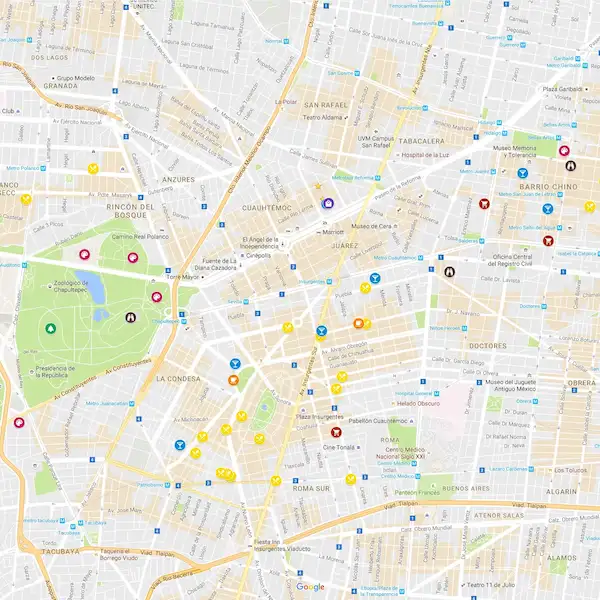
The django-geoposition library integrates with Google Maps for address entry. Users can pick locations on a map, and the system extracts coordinates automatically.
Email-Based Authentication
Django defaults to username-based login. Switching to email authentication required configuration across multiple libraries. I configured django-allauth to make email required and username optional. The custom login serializer validates credentials against email addresses.
Deployment Configuration
The application deploys to Heroku with django-heroku handling settings. Static files serve through WhiteNoise. CORS headers allow cross-origin requests from frontend clients. The database URL comes from environment variables in production but defaults to local PostgreSQL for development.
What I Learned
Building Mappy taught me how real applications separate concerns. Each Django app owns its domain: user management, address storage, order processing. The REST API provides a clean boundary between frontend and backend.
I learned the value of automated testing. Writing tests forced me to think about edge cases: what happens with null values, overly long strings, or invalid coordinates? The test suite caught bugs early and gave confidence when making changes.
Token authentication showed me how to protect API endpoints. Understanding the flow from login to token storage to authenticated requests prepared me for building secure applications.
This project demonstrated that good software engineering is about structure. Clean data models, validated inputs, comprehensive tests, and modular code all contribute to a system that works reliably.