Finding the right birthday gift for someone who loves retro games is hard. You can buy merchandise. You can get a gift card. But none of that feels personal. None of it says you spent time creating something just for them.
My friend had been a Kirby fan since childhood. The pink puffball that inhales enemies and steals their powers. I wanted to give her something she couldn’t buy. Something that showed effort. So I made her a Kirby game from scratch.
This was my first complete 2D platformer. Three levels, multiple abilities, a full animation system. All built in Unity over a few weeks as a birthday surprise.
What It Does
The game captures the feel of classic Kirby titles. You control Kirby through side-scrolling levels filled with platforms, enemies, and collectibles. The signature ability is there. Kirby inhales objects and enemies, gaining their powers or using them as projectiles.
Three distinct levels take you from green meadows to the final challenge. Each level has its own layout, hazards, and pacing. Coins scattered throughout reward exploration. A health system gives you room for mistakes.
The game runs in the browser through WebGL. No downloads needed. Just visit the page and play.
Technical Deep-Dive
State Machine Architecture
Kirby has many states. Standing. Walking. Running. Jumping. Flying. Eating. Each state has different behaviors, animations, and transitions. Managing this complexity requires structure.
I implemented a state machine to handle player behavior. Each state is a separate component that knows what it does and what states it can transition to. The player controller delegates decisions to the current state, which returns the next state after processing input.
This approach keeps individual states simple. The jumping state only cares about jumping logic. The eating state only handles the inhale mechanic. No massive switch statements. No tangled conditionals.
Factory Pattern for Actions
Player actions like walking, running, and flying share common patterns but differ in specifics. Rather than duplicate code, I used factories to create action instances.
The factory pattern lets me define what actions exist in one place. The state machine requests actions by type. The factory returns the appropriate implementation. Adding new abilities means adding a new factory method without touching existing code.
Animation System
Kirby has many animations. Idle breathing. Walking cycles. Running. Jumping. Falling. Flying with puffed cheeks. Each action has its own visual representation.
Unity’s Animator controller manages transitions between these clips. Parameters like velocity, grounded state, and current action drive the state machine. The code sets these values each frame. The animator blends between animations automatically.
The eating animation deserved special attention. Kirby’s mouth opens wide with particle effects suggesting suction. When an enemy gets caught, the animation changes to show Kirby’s cheeks full. It’s a small detail that makes the ability feel right.
Cross-Platform Input
The game needed to work on both desktop and mobile browsers. Desktop users have keyboards. Mobile users have touch screens. Supporting both required abstraction.
Unity’s cross-platform input system handles the difference. The code reads input through a unified interface. Behind the scenes, the system maps keyboard presses and touch gestures to the same logical inputs. One codebase works everywhere.
Level Design
Three levels provide progression. The first level teaches basic movement and the inhale mechanic. The second level introduces more complex platforming. The third level combines everything into a final challenge.
Each level is a Unity scene with hand-placed platforms, enemies, and triggers. Scene transitions happen when Kirby reaches certain points. The game tracks progress so you can continue from where you left off.
Cinematic Sequences
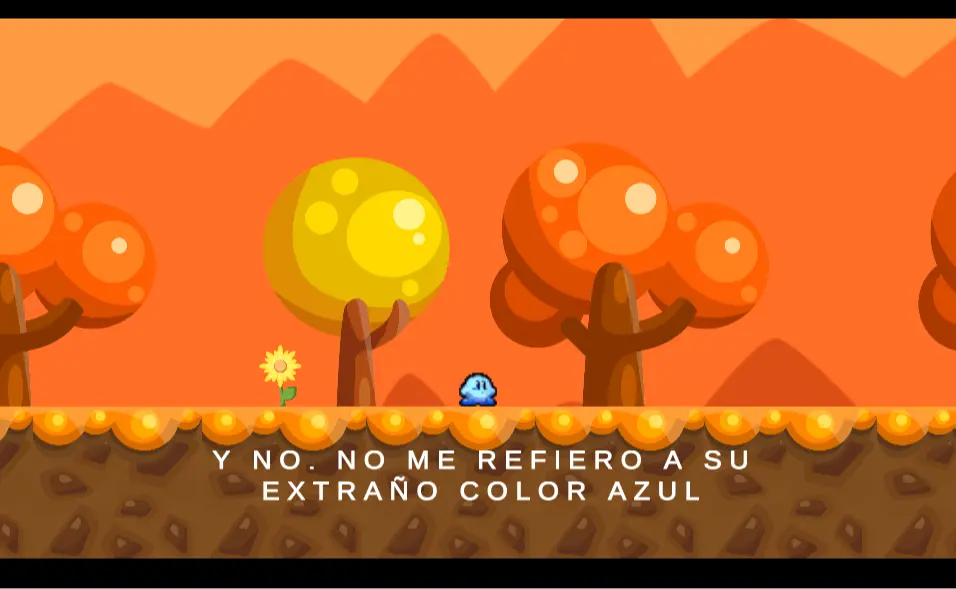
Games feel more polished with transitional moments. I added simple cinematics between sections. Camera movements, character animations, and text captions create narrative flow.
These sequences play automatically at key moments. The game pauses normal input during cinematics. When they finish, control returns to the player. It’s a small touch that makes the experience feel more complete.
Challenges I Faced
Getting the platformer physics right took iteration. Jump height, gravity, air control. These values interact in subtle ways. Too floaty and the game feels imprecise. Too heavy and Kirby stops feeling like Kirby.
The flying mechanic added complexity. Kirby can inflate and float, defying normal gravity. Transitioning between ground physics and flight physics needed smooth handling. The gravity scale changes when flying begins and restores when landing.
Sprite animation timing required tuning. Animations need to match movement speed. If Kirby walks faster than his legs animate, it looks like sliding. Synchronizing visual and mechanical speed took many test runs.
What I Learned
Building a gift teaches you about deadlines. A birthday doesn’t move. The game had to ship on that date, ready or not. This forced prioritization. Core mechanics first. Polish if time allows. Cut features that won’t finish.
State machines became my go-to pattern for complex entity behavior. The clarity they bring outweighs the initial setup cost. Every character-driven project since has started with a state machine.
Personal projects carry meaning that professional work often lacks. My friend still plays this game years later. That lasting impact motivates me more than any performance review.