Presenting Scan Documents
Why I built Scan Documents, an offline first app to bulk scan many pages into one PDF, how OPFS fixed its memory issues, and what 30 users taught me at launch.
You would not believe the state of my archive. Well, what it used to be. There were papers about everything, everywhere! Certificates from years ago. Important documents about to get lost in the chaos. And a constant feeling that I needed to digitize all of it.
Paperwork for a move
I have always loved having everything digital. I have a Google Drive folder with almost every document of my life.
Then, in December, a huge problem appeared. I started doing paperwork in case I had to move to another country. My pile of physical documents became a mess. When I tried to digitize everything, the idea for Scan Documents was born.

I already knew document scanning apps. I had tried a lot of them, hoping one would solve my problems. They always fell short, especially when I had more than one simple page.
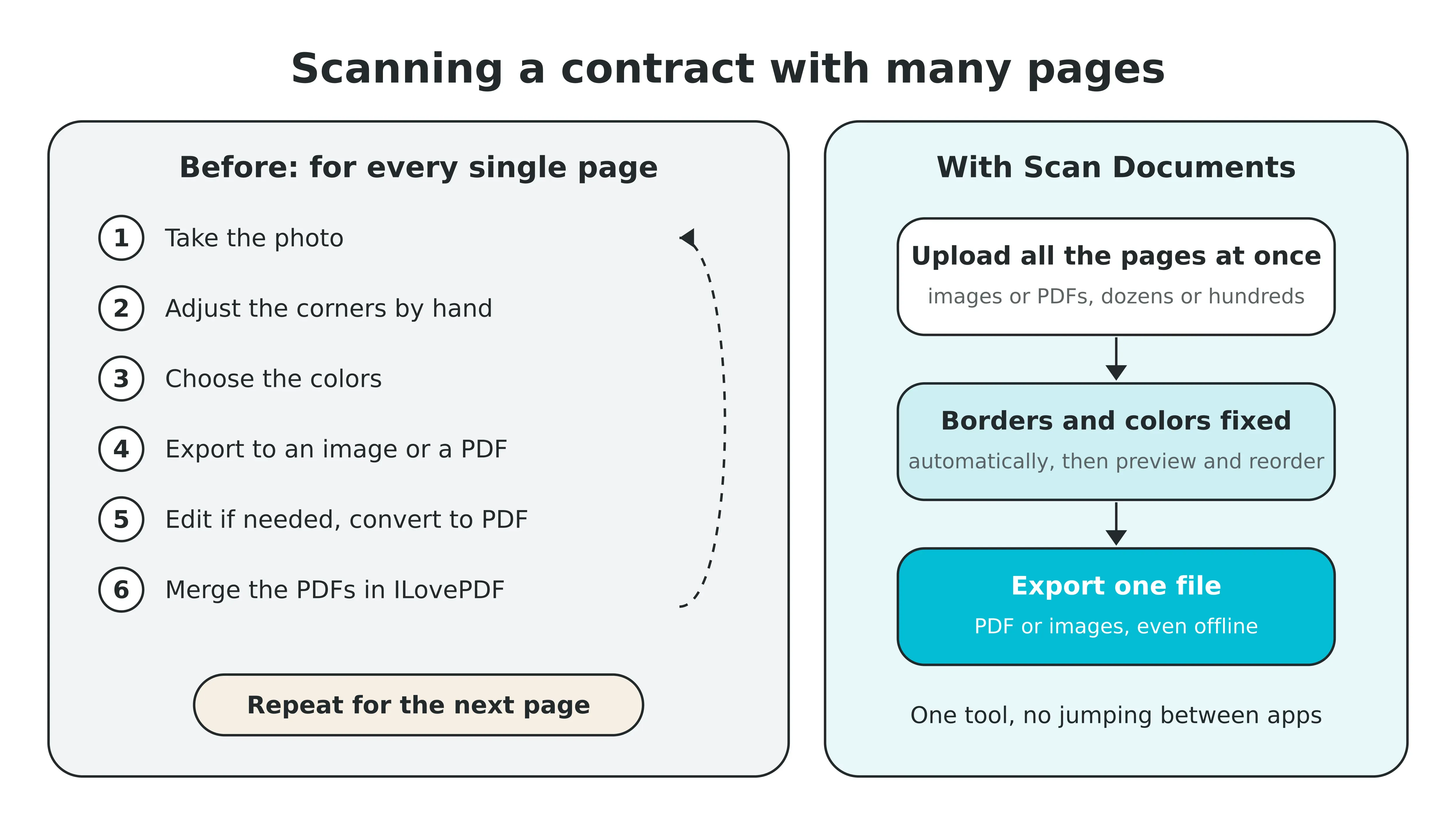
Most scanning apps felt designed for one quick scan. Need to digitize a single receipt for expenses? They are great for that. A contract with many pages was a different story. For every single page, I had to follow these steps:
- Take the photo.
- Adjust the corners of the image by hand.
- Choose its colors.
- Export it to an image or a PDF.
- Edit the image if needed, and convert it to PDF.
- Go to ILovePDF and merge all the PDFs.
I was frustrated. So I decided to build my own solution.
What I needed
I started by listing the exact problems I had. The first scan was only part of it. The real problem was the whole path from a paper document to a useful digital file. I wanted one tool, so I would never have to jump between apps and websites again. It had to cover these needs:
- Bulk scan: Upload dozens or even hundreds of pages at the same time, and adjust the borders and colors automatically.
- Flexible input: Upload both images (like photos from my phone) and PDF documents I already had.
- Flexible output: Create images, PDFs and even ebooks if I wanted.
- Page organization: A very easy way to reorder pages, whether there are a few or a whole stack.
- Page preview: See the result of the scan, and make manual adjustments if needed, without exporting first.
- Permanent storage: Save my scanned files, so they always stay on my device.
- Offline first: Work without a network connection. This was important to me. I did not feel comfortable sending sensitive data to someone else’s server.
A fast start
I started the project near the end of 2024. It moved faster than I expected in the first weeks of 2025. By the middle of January, I had an MVP (a first simple version people can use) with bulk scan, page preview and page organization.
It had one serious problem: memory. Images were too heavy. If you uploaded hundreds of pages, the memory filled up with a queue of images waiting to be processed. The solution was to start working on permanent storage.
Moving images to disk
In computer engineering, when you do not have enough memory, you move data to disk. This was a perfect fit for Scan Documents. The app shows each image only in a preview when it renders, and uses it again only while it processes the image. So the images do not need to be in memory all the time.
Then I discovered the Origin Private File System (OPFS). It lets a website keep files on the user’s device, without the user having to manage them. With OPFS, I moved the images to storage and loaded them only when I needed them.
In February, I built those features. I added the Scans Archive, which stores previous scans and keeps them organized. I also added export to PDF and to images.
By the beginning of March, the project was almost done. I only had to fix a bug in Safari related to OPFS and add the feedback button.
Launch day, March 10th
There were many releases during this time. My best friend had been testing the app since February. In the first week of March, I sent it to my closest friends so they could test it and give me feedback. They loved it. They pushed me to launch, even though it did not work well in Safari yet.
Luckily, I fixed the Safari issues at almost the same time I got their feedback. The release had a date: March 10th.
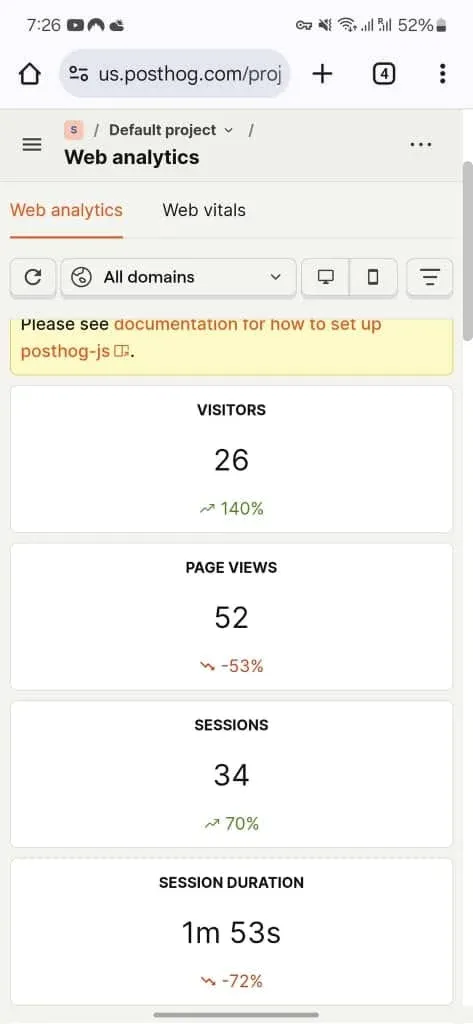
And I did it. I shared it with everyone on X and with my followers on Instagram. Scan Documents was finally born. On the first day, more than 30 unique users tried it, from almost every continent in the world.
What strangers asked for
It was a great release, but it is not the official one yet. That will happen on Product Hunt next month. This is the first time complete strangers used my solution to solve their own problems. They gave me feedback that I will try to add in the next days:
- Camera: The first problem I fixed was allowing the camera as a source for uploading images.
- PWA and offline use: Once the page loads, you can turn off the internet and keep using it. But you still need internet to open it, and that is a problem. I created a PWA (Progressive Web App, a website you can install like an app), but I had a hard time making it open offline.
- Margins and padding: People asked for more control over margins and padding. I plan to add it.
The numbers say more work
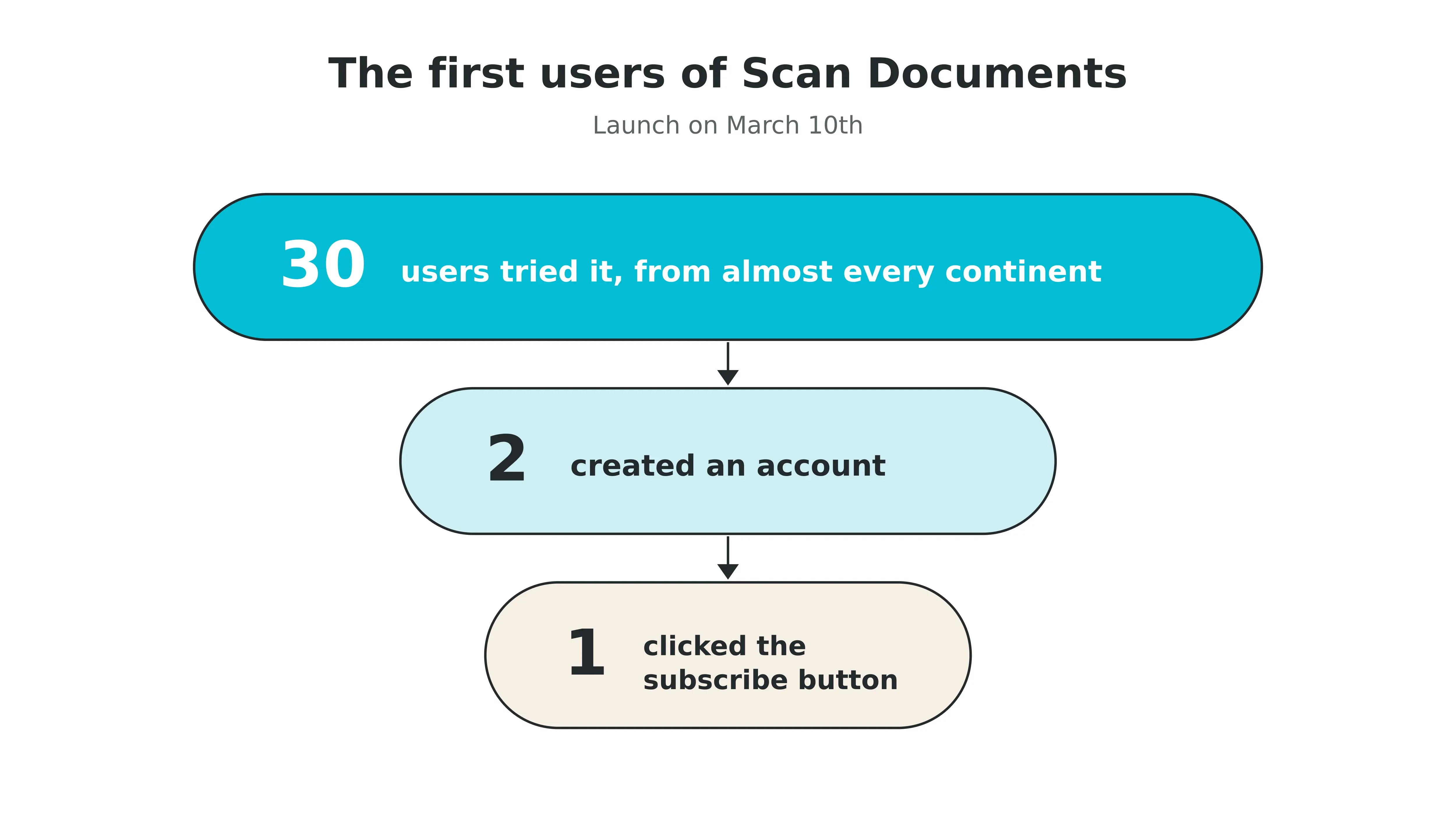
Many people tried it, but the idea needs more work before people accept it. Of the 30 users who tried it, only 2 created an account. Only 1 clicked the subscription button. That person was probably curious about the price and the features of the pro plan.
I will add more tools that solve more of my own problems. Ideas include converting to ebooks, sealing documents so nobody can change them, and an API for scanning. Then I will see if those features bring my very first customer.
Why I built it
I built Scan Documents because I was frustrated with how we handle paper documents in a world that is more digital every day. It started as a way out of my own paperwork nightmare. Now it is an app I truly believe can make life simpler for other people too.
I don’t know how it will go. Nobody knows, and that is the interesting part.
 Scan Documents Scan your images and create readable PDFs. Powerful document scanning API to integrate into your applications in minutes.
If you enjoy the content, please don’t hesitate to subscribe and leave a comment! I would love to connect with you and hear your thoughts on the topics I cover.
Interested in working together? Check out my services and pricing to see how we can collaborate on your next project. Let's Build