IMG Processing AI Features
In the last two posts about IMG Processing, I have shown you how to interact with the API using the HTTP endpoints, and using the Node.js SDK.
Today I would like to showcase the AI Features available on IMG Processing and how to use them, so let’s start.
Before Starting
The first step is creating an account.

IMG Processing
IMG Processing - Image Processing API. A picture is worth a thousand words. Integrate powerful image processing capabilities into your applications in minutes
As soon as you sign up for the IMG Processing API, you will receive a test API key that you can use to make requests to the API.
Image Generation
Now we have an API Key, the first AI feature I would like to talk about is the image generation feature. Using Stable Diffusion, it has great performance and competes in quality and price with almost all the solutions on the internet like DALL-E 3 and Midjourney.

The endpoint to generate images is /v1/images/imagine and receives a name, prompt, and an inverse prompt as payload. Try it yourself using the tool of your preference or directly on the playground:

Imagine Image - IMG Processing
Creates a new image using AI
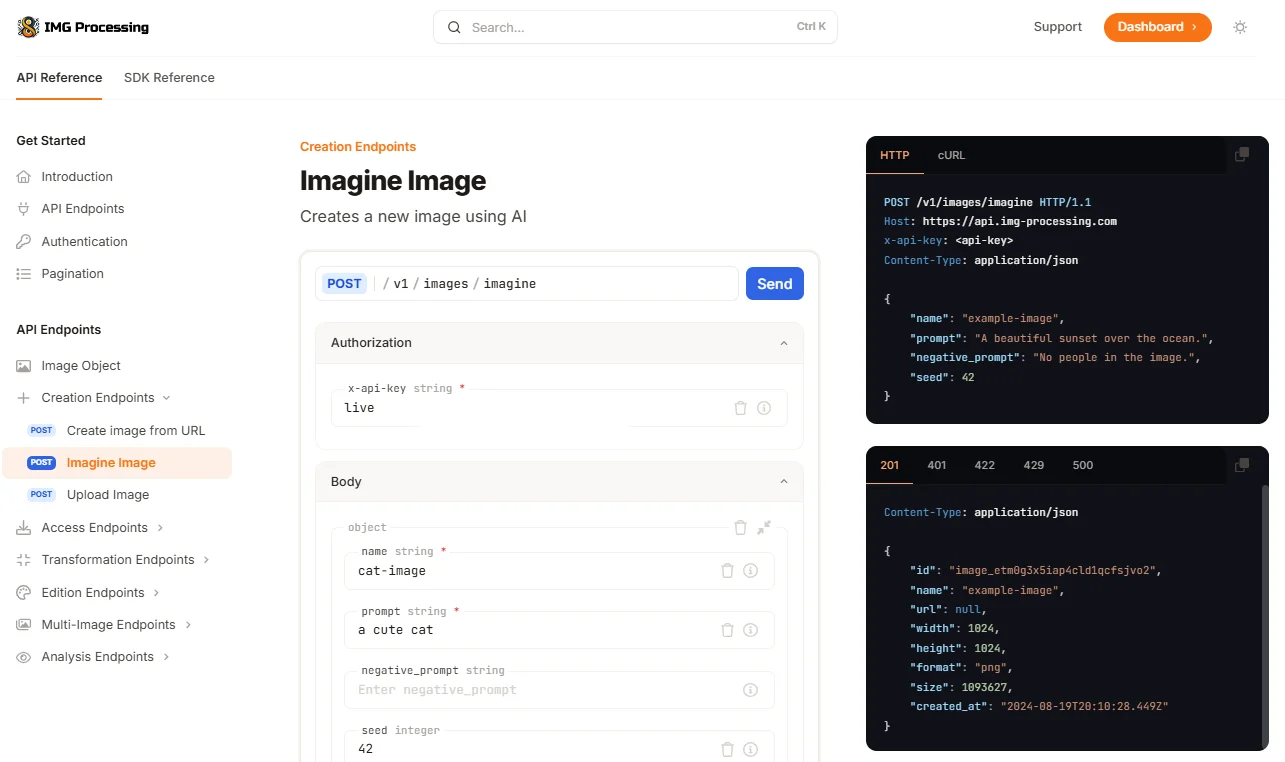
We can check the created image using the download endpoint or by going to the dashboard:
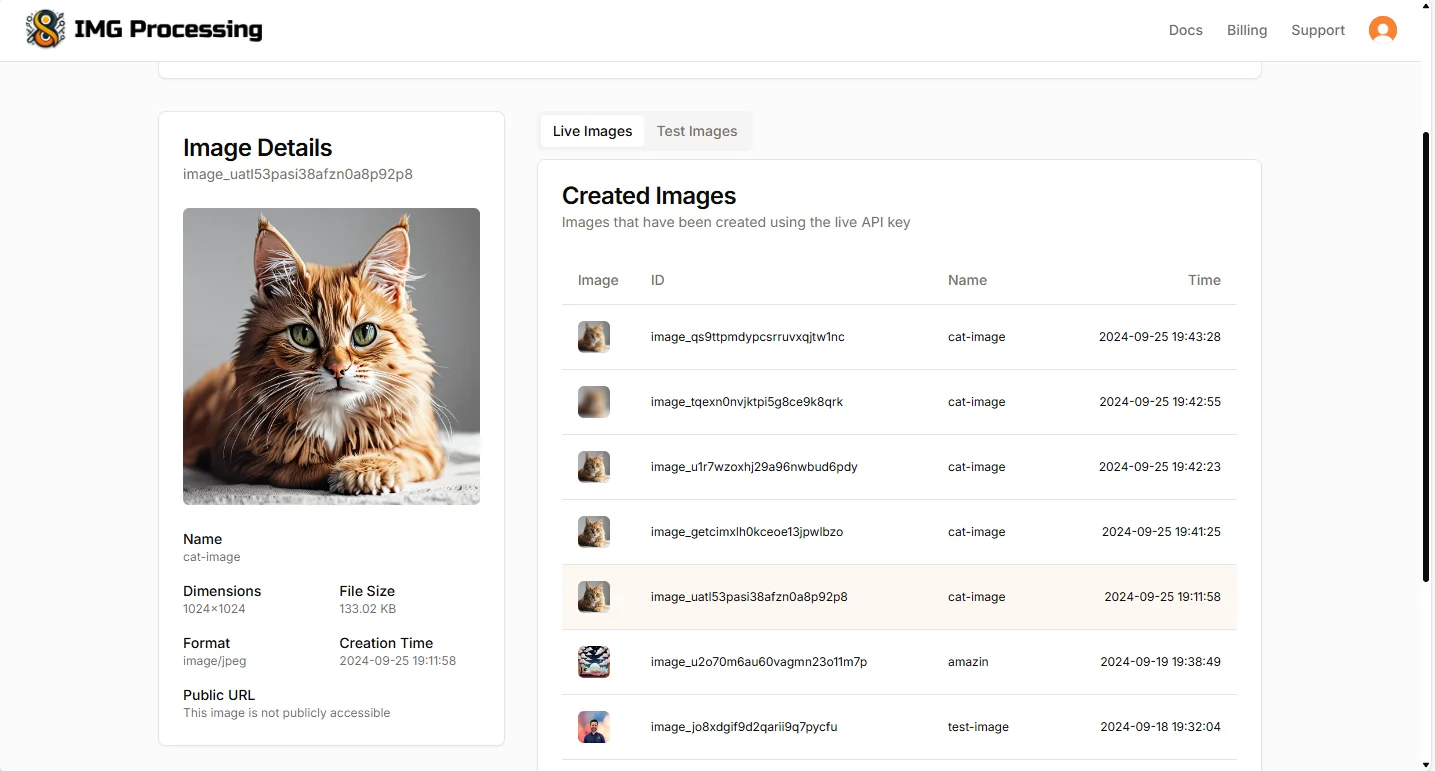
As you can see, it generates a cat image of 1024x1024 pixels.
Image Classification and Visualization
If you want to add labels to an image or identify what is shown in an image, the endpoint /v1/images/{imageId}/classify is very helpful. Using ResNet-50, it is able to categorize an image with high accuracy within a set of 1000 labels.

Image Classification - IMG Processing
Classifies the image giving a list of labels and their probabilities
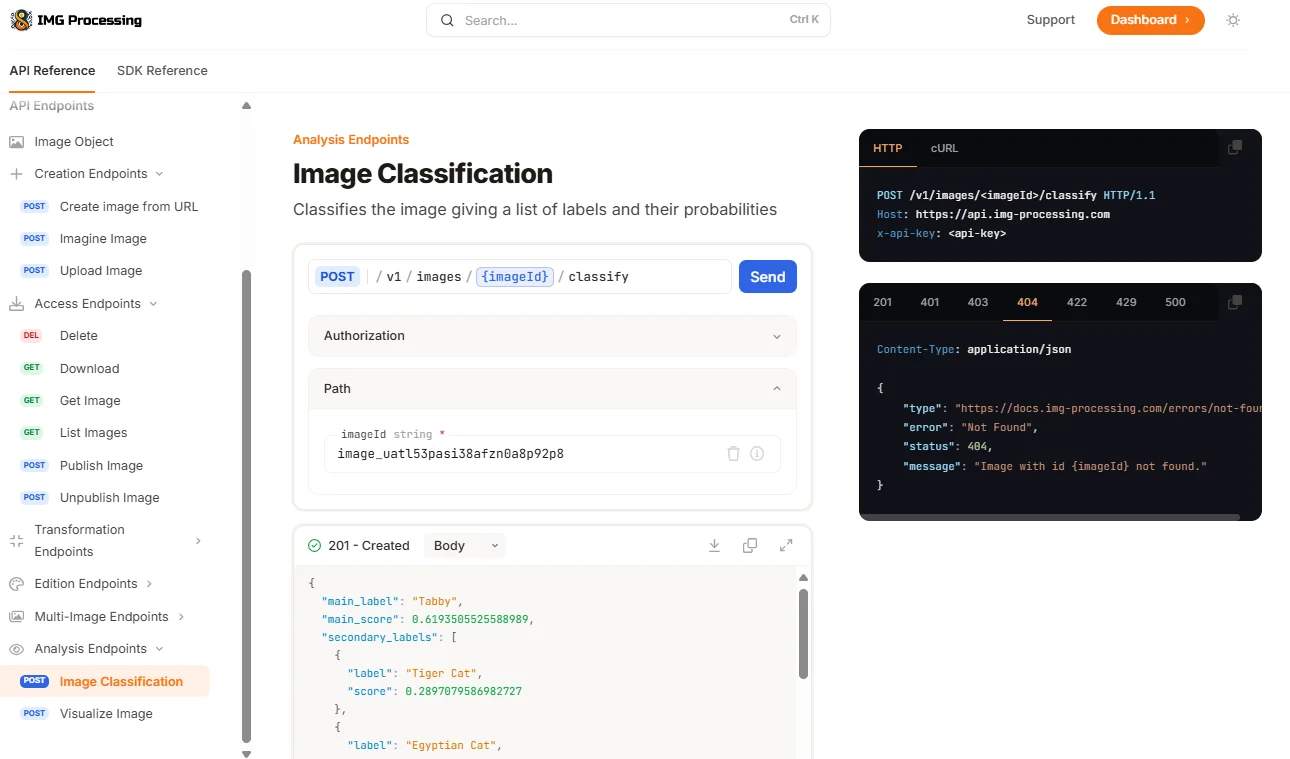
As you can see, after giving it the image we generated using the AI, it identified the cat as a Tabby with a score of 62%, which is correct. However, the bad thing about this model is that it is limited to 1000 labels, and the world is full of things beyond that.
If you work with more complex images, you probably prefer a cutting-edge model like Uform-Gen or LLaVA. These models allow you to ask questions and generate responses about an image. For example, we can ask the AI what is featured in this image using the endpoint /v1/images/{imageId}/visualize.

Visualize Image - IMG Processing
Answer a prompt based on the content of an image.
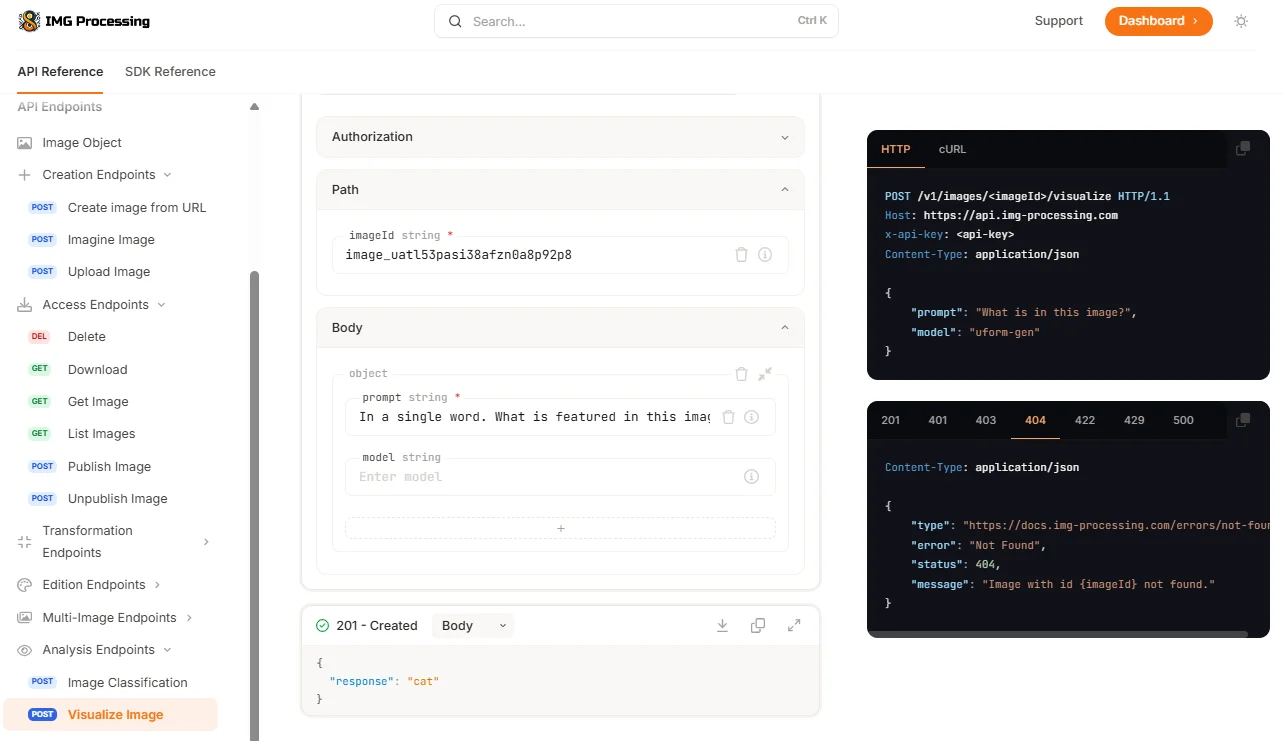
Here, after asking the AI In a single word. What is featured in this image?, it answered correctly cat. Here is up to your imagination, but you can use this in any way you prefer. For example, let’s use it to create a caption:
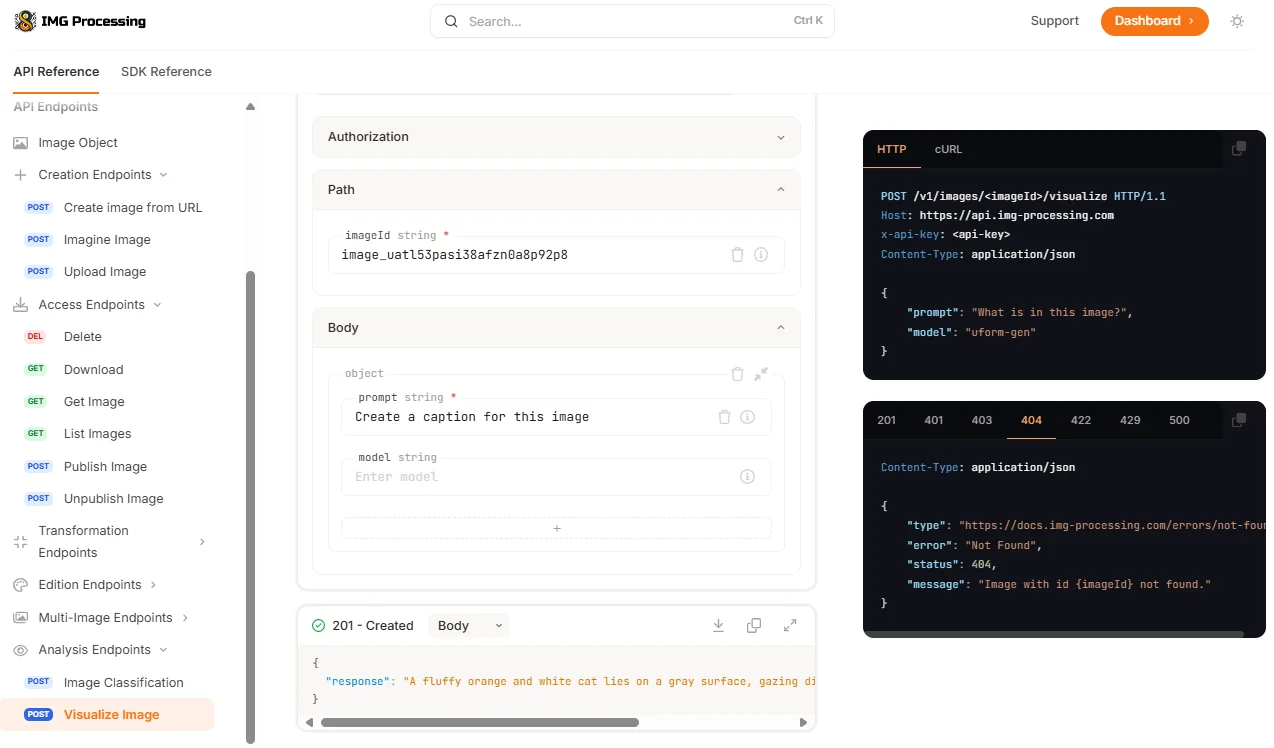
Awesome, isn’t it?
Background Removal
One of the main functionalities of IMG Processing is the background removal feature, being one of the best on the whole internet in quality and price, being x50 cheaper than tools like RemoveBG and getting awesome results. Let’s see it:

Remove Image Background - IMG Processing
Remove the background from an image.
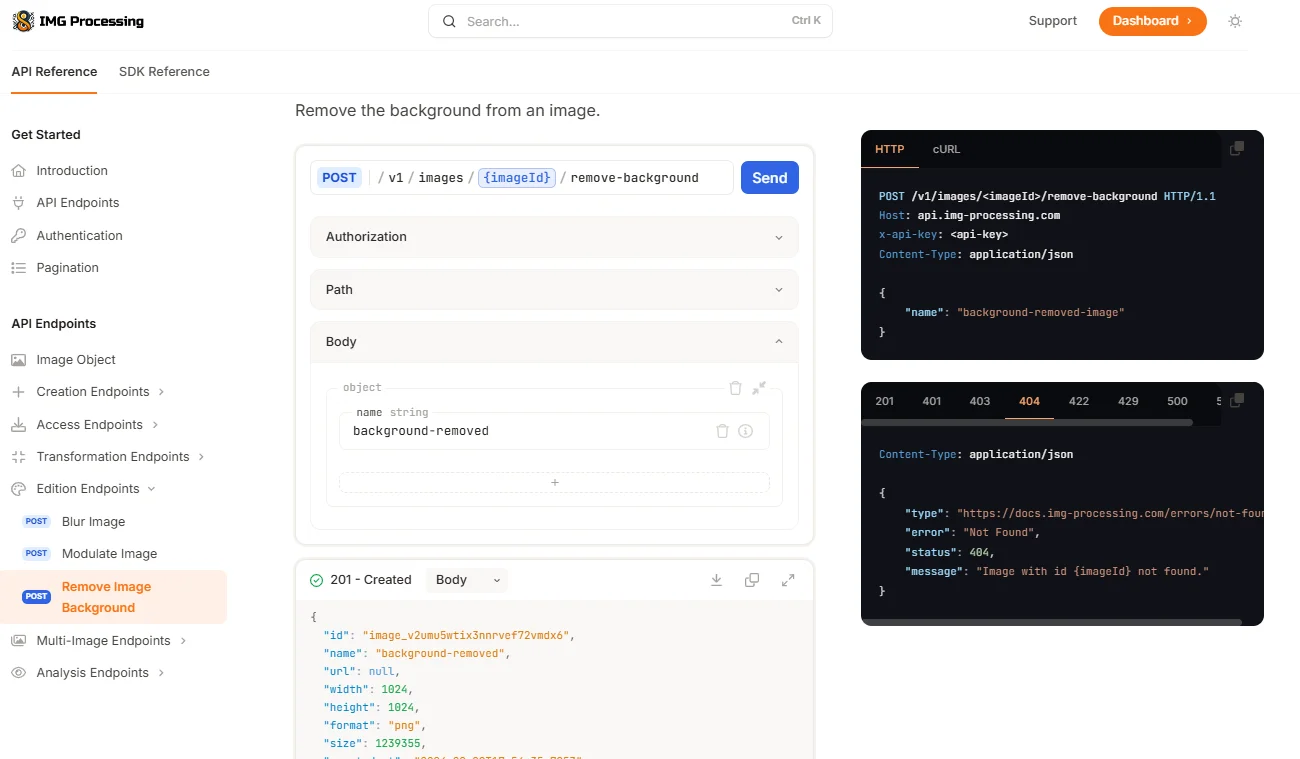
You can see, a PNG image was returned. Let’s download it:
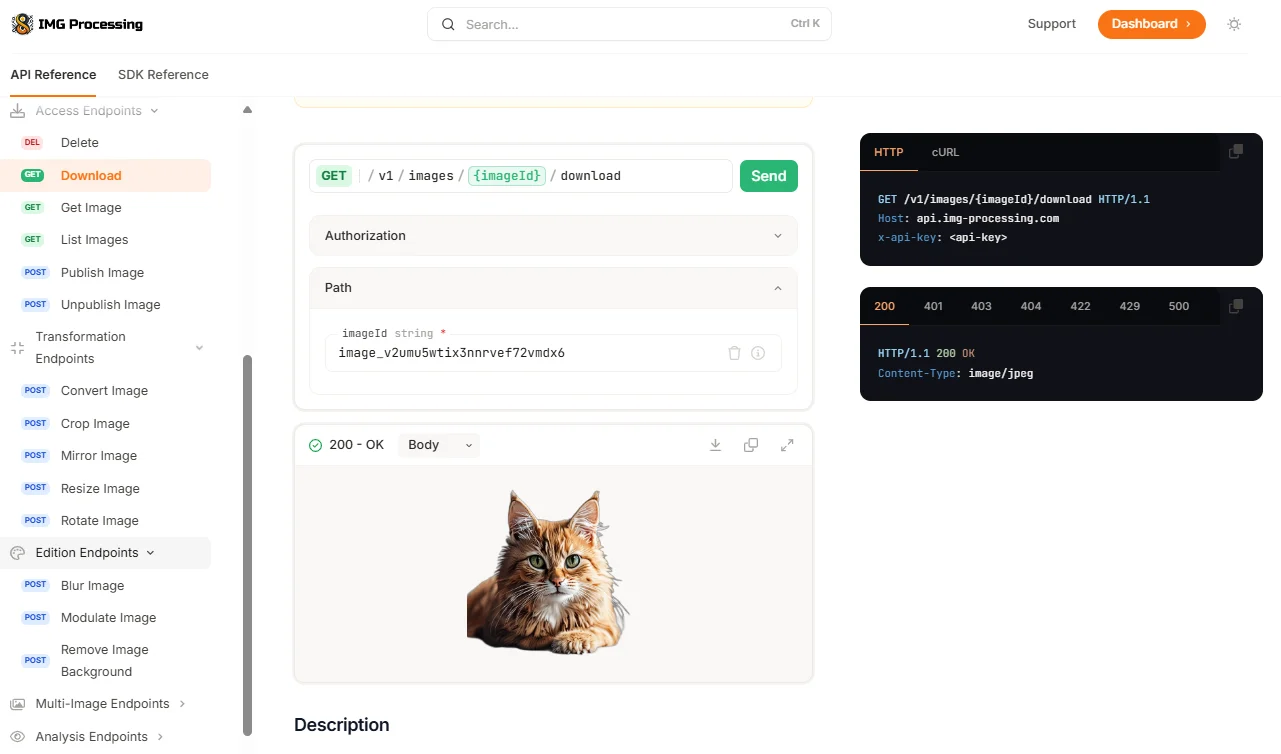
Nice, we downloaded it. Here is the result:

That’s it; we removed the background of the image in an easy, fast, and cheap way.
Future Features
Those are the only AI Features available at the moment, but in the future, I have plans to integrate an effect to blur backgrounds using the distinct layers I get in the remove background feature, add improved OCR capabilities (visualize endpoint works okay, but it hallucinates), add more models for classification, image generation, and background removal, image variations, etc.
For now, thanks for reading, and I hope you enjoy this tutorial!
If you enjoy the content, please don’t hesitate to subscribe and leave a comment! I would love to connect with you and hear your thoughts on the topics I cover.
You might also like
Experimenting with the IMG Processing SDK
Discover what happened in September 2024. This month features a tutorial on using the IMG Processing SDK for Node.js image manipulation.
Presenting IMG Processing
Discover what happened in September 2024. This month features the launch of IMG Processing, a powerful API and SDK for image manipulation and analysis.

Presenting AI José Gregorio: A Lifesaver in The Midst of Crisis
Discover what happened in August 2023. This month features the launch of AI José Gregorio, a medical assistant for Venezuelans during the health crisis.